
This is part 5 of our 8-week series, 8 Types of Cyber Attacks: one plain-English breakdown every Monday of how small businesses actually get hit, and what stops it.
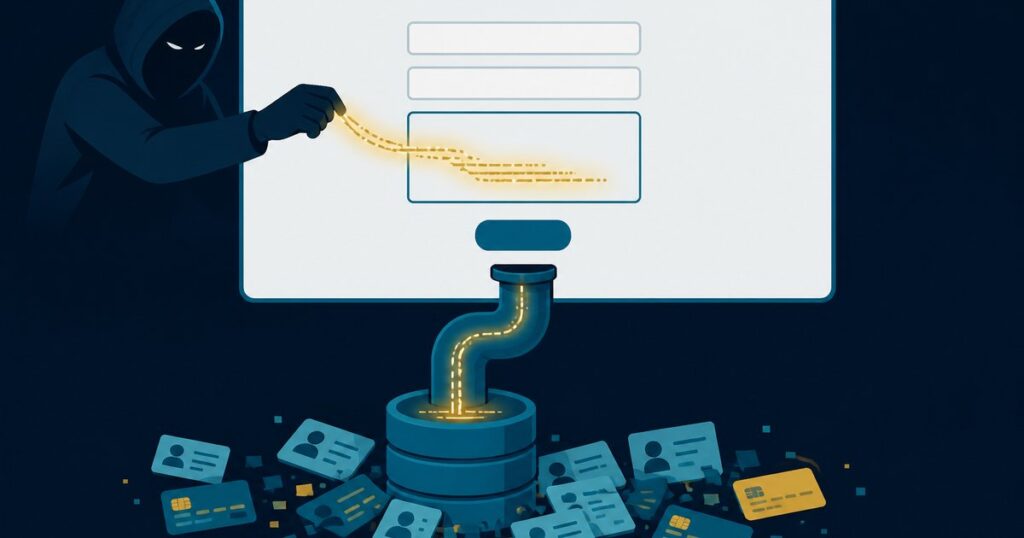
Your website has a search box, a login page, and a “request a quote” form. To you, they’re just boxes people type into. To an attacker, each one is a question: does this site check what I type before it hands it to the database? If the answer is no, a few lines typed into the right box can pull out every customer name, email address, and password hash the site has ever stored.
No malware. No stolen password. Just a form that trusts whatever it’s given. That’s SQL injection.
What SQL injection actually is
Almost every website and business application stores its data in a database, and talks to that database in a language called SQL. When you search for “blue widgets,” the site builds a SQL request that says, roughly, “find the products named blue widgets.”
If the site pastes whatever you typed straight into that request, an attacker can type something that isn’t a search term at all. It’s an instruction. Instead of “find the products named blue widgets,” the database now hears “find the products named blue widgets, and also hand over the whole customer table.” The database can’t tell the difference. It just does what it’s told.
It’s one of the oldest attacks on the web, and it still works. In 2023, a SQL injection flaw in the MOVEit file-transfer software was used to steal data from more than 2,700 organizations, from banks and universities to payroll providers and government agencies. In 2024, CISA and the FBI put out a joint alert urging software makers to finally eliminate this entire class of bug.
Where small businesses are exposed
- Old or abandoned website plugins. A WordPress contact form, booking calendar, or gallery plugin that hasn’t been updated in two years is one of the most common ways in. Attackers scan the whole internet for known-vulnerable plugin versions automatically. They don’t pick you; their scanner does.
- Custom forms someone built years ago. A quote form, customer portal, or “check your order” page that a former web developer hand-coded may never have been tested for this. If nobody owns it now, nobody is patching it.
- Third-party software you rely on. The MOVEit breach hit companies that had never written a line of code. Their vendor’s software had the flaw. Your payroll portal, file-sharing tool, or industry software can expose your data the same way.
“Attackers don’t pick your website. Their scanner does. An outdated plugin is all it takes.”
— Glenn Kupsch, President, Adaptive IT
What it costs when it works
- Customer data walks out the door. Names, emails, phone numbers, order history, and sometimes payment or account details.
- Passwords get reused against you. Stolen logins from your site get tried against email, banking, and Microsoft 365 accounts, because people reuse passwords.
- Your site becomes the attacker’s site. Injected changes can add spam pages, redirect visitors, or create a hidden admin account that survives a password reset.
- Notification obligations. Depending on what was stored, a breach can mean notifying customers under state data breach laws, plus the reputation hit that comes with it.
What actually stops it
The fix isn’t exotic. It’s mostly about keeping software current, keeping less data around, and putting a filter in front of your site.
- Keep plugins, themes, and the platform updated, and delete what you don’t use. Automatic plugin updates, plus removing inactive plugins entirely, closes most of the doors attackers scan for.
- Put a web application firewall (WAF) in front of the site. A service like Cloudflare blocks known SQL injection patterns before they ever reach your server.
- Ask whoever built your site one question: “Do our forms use parameterized queries?” That’s the developer term for the coding practice that makes SQL injection impossible. A good developer will know the answer immediately.
- Don’t store what you don’t need. If your website doesn’t need to keep customer data, it shouldn’t. Card payments belong with your payment processor, not your website’s database.
- Give the website’s database the least access possible. The account your site uses shouldn’t be able to read your accounting data or anything else it doesn’t need.
- Know who’s patching your vendors. For any software that holds your data, ask how security updates are delivered and how fast. Sign up for their security notices.
Not sure where you stand?
Adaptive IT offers a Cyber Review for small businesses: a straightforward look at your website, plugins, and firewall protection, your Microsoft 365 and email security, and the gaps an attacker would use first. You get a plain-English list of what to fix, in order.
Call the Adaptive IT service desk at (877) 958-1248 or get in touch here.
Previously in the series: DDoS attacks and man-in-the-middle attacks. Next Monday: Cross-Site Scripting (XSS). How attackers use your own website to attack your visitors.